
Screenshots
.png)
.png)
.png)
.png)
.png)
App details
- Version
- 2.29.01 | 2.25.01 | 2.23.01 | 2.20.1
- Size
- 3.02 MB
- Updated
- July 11, 2023
- Requires
- Windows 10
- Language
- English
- License
- Free
- Developer
- Donationcoder
- Category
- Windows OS
SoftPas in:
This product is also available in the following languages:
About URL Snooper
Download URL Snooper – Free Multimedia URL Recovery Tool for Windows
Overview
URL Snooper is a specialized software tool designed to locate the hidden URLs of audio and video files embedded in any web page. As soon as the program launches, it begins scanning the selected site, automatically detecting media streams, fragmented links, and even obscure protocol identifiers. While the user interface may look modest compared to modern apps, the engine underneath is built on a revamped packet‑spanning technology that rebuilds split‑URL fragments, ensuring you receive complete, playable links without manual reconstruction.
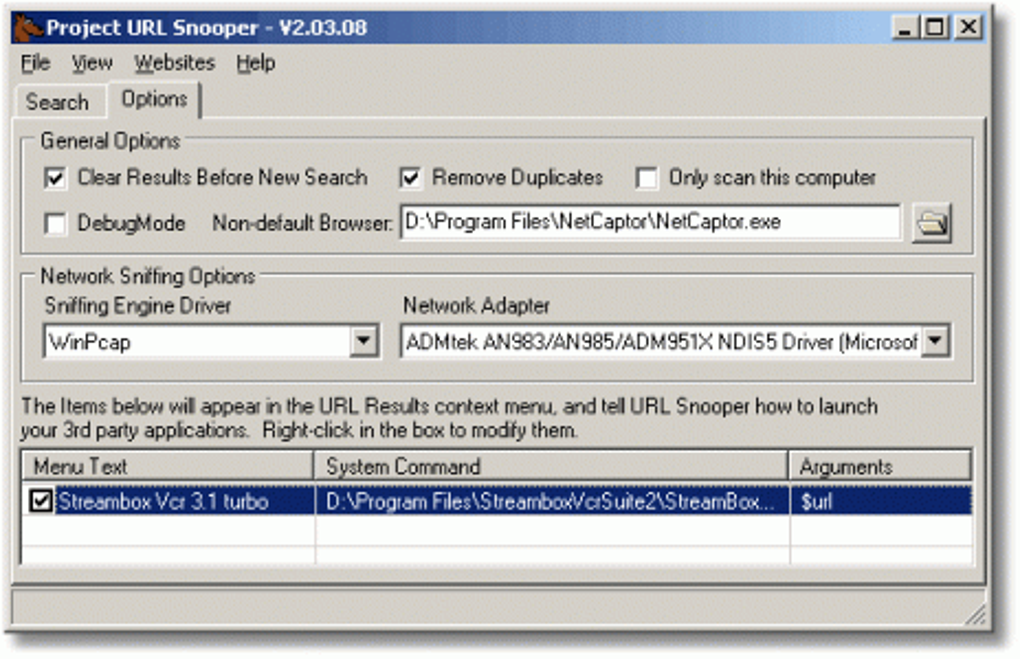
The core of URL Snooper relies on a network sniffing driver (WinPCap by default) that captures traffic between your browser and the internet. Advanced users can replace this driver with an alternative packet capture library, choose the exact network adapter, and apply keyword filters to narrow down the search. This flexibility makes the tool valuable for web developers, digital archivists, and everyday users who need a quick, secure way to download streaming media for offline consumption.
Since its latest update, URL Snooper boasts a cleaner UI, smarter protocol detection, and dynamic keyword filtering that reacts to the content it processes. Whether you are troubleshooting a broken media embed, gathering resources for a presentation, or simply curating a personal library, URL Snooper provides a reliable, free solution that works out‑of‑the‑box on Windows systems.
Key Features & Advanced Capabilities
- Instant site analysis – begins scanning as soon as you launch the program.
- Smart packet spanning – rebuilds split URL streams to produce full, usable links.
- Enhanced protocol identification – recognizes HTTP, HTTPS, RTMP, HLS, DASH, and more.
- Dynamic keyword filtering – add, edit, or remove filter words on the fly.
- Customizable browser integration – choose your preferred browser for link preview.
- Context‑menu support – right‑click any page element to launch a quick scan.
- Drag‑and‑drop file searching – drop a local HTML file to extract embedded media URLs.
- Recording hints and website links – helpful tooltips guide new users through complex tasks.
- Favorites menu – save frequently scanned sites for one‑click access.
- Optional driver selection – replace WinPCap with Npcap or other compatible drivers.
The advanced features are organized into a dedicated “Settings” tab where you can enable or disable network sniffing, set a specific adapter, and control how aggressively the program hunts for duplicates or similar URLs. For power users, the “Advanced Filters” panel allows the creation of regular‑expression based rules that target specific file extensions, query parameters, or domain patterns. This level of control makes URL Snooper more than a simple “download‑link finder”—it becomes a versatile app for deep‑web media analysis.
Security is built into the workflow: all captured packets are processed locally, no data is transmitted to external servers, and the driver installation prompts are signed and verified. The software also supports automatic updates, ensuring you receive the latest protocol patches and UI improvements without manual downloads.
Installation, Usage & Compatibility
Step‑by‑Step Installation
- Download the latest URL Snooper installer from the official website.
- Run the .exe file – the wizard will request administrative rights to install the WinPCap driver.
- If you prefer an alternative driver, select “Custom Installation” and point to your Npcap or other compatible driver.
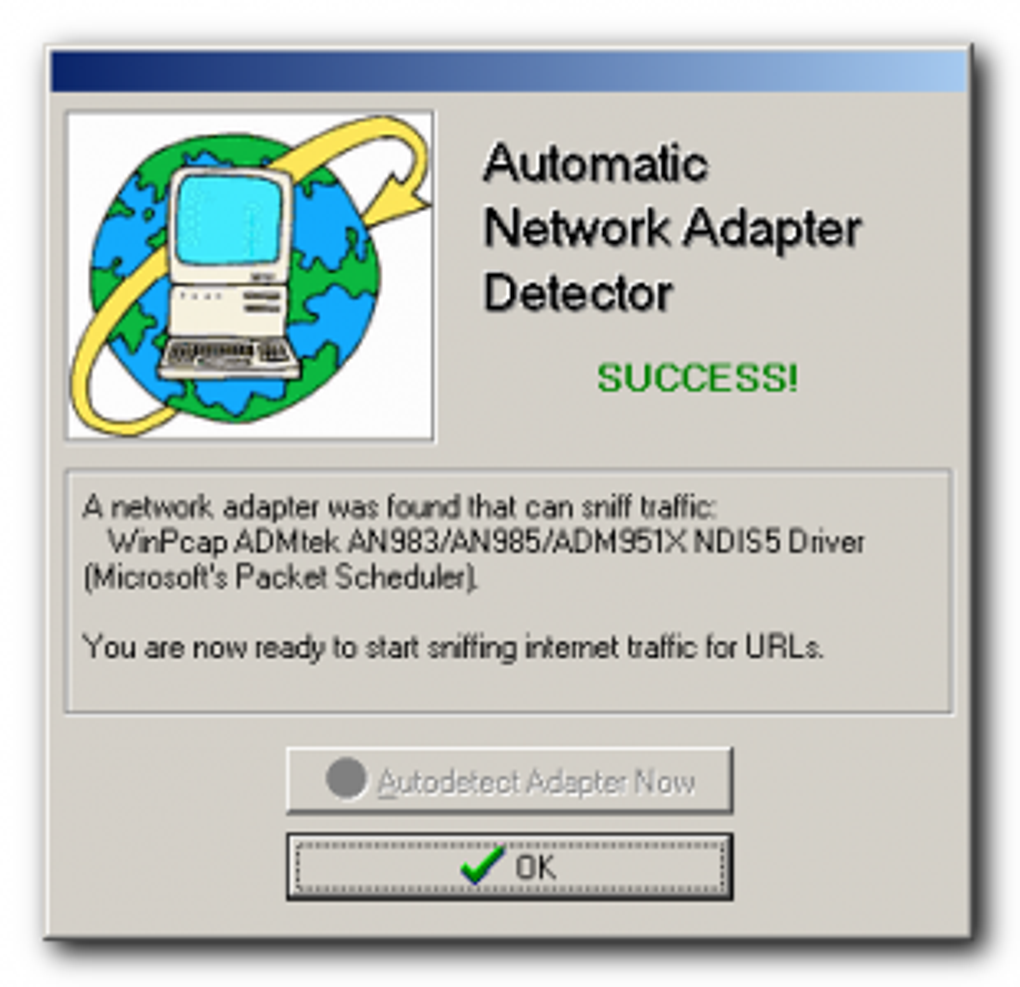
- Choose the default network adapter (usually your Ethernet or Wi‑Fi interface) or let the program auto‑detect.
- Complete the setup and launch URL Snooper; the main window appears with a simple URL input field.
How to Use URL Snooper Effectively
1. Paste the web page address containing the media you want to capture into the input box and click “Start Scan.”
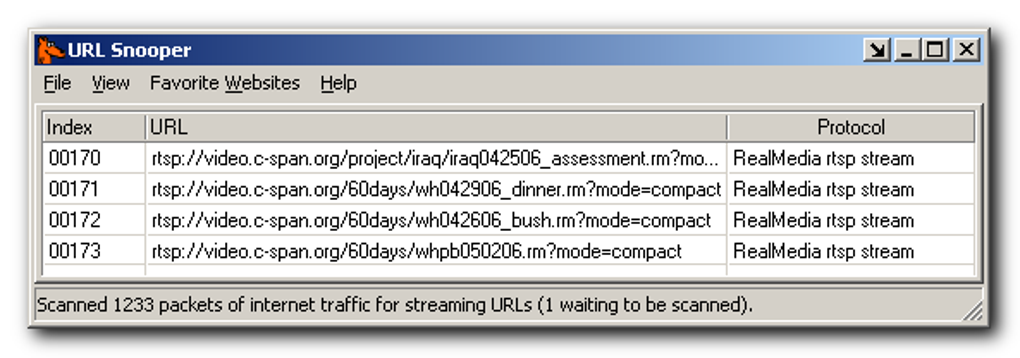
2. The tool begins sniffing traffic; as packets arrive, they are reconstructed and displayed in the “Results” pane.
3. Use the filter bar to type keywords like “mp3,” “mp4,” or “stream” to narrow the list.
4. Right‑click any entry to open it in your chosen browser, copy the link, or export the list to a text file.
5. For recurring sites, add the URL to the “Favorites” menu for instant access next time.
The program also supports drag‑and‑drop of local HTML files, enabling offline analysis of saved web pages. All actions are logged in a temporary session file that can be cleared with a single button, preserving privacy after each use.
Compatibility
URL Snooper is currently built for Windows 7, 8, 10, and 11 (64‑bit). The reliance on WinPCap means the tool does not run natively on macOS, Linux, Android, or iOS. However, Windows users can run the software in a virtual machine or via compatibility layers such as Wine on Linux, though performance may vary. Future updates may introduce cross‑platform support, but at present the application remains a Windows‑only software solution.
Pros, Cons & Frequently Asked Questions
Pros
- Fast, automatic detection of hidden audio/video URLs.
- Smart packet spanning eliminates fragmented links.
- Highly customizable filters and driver selection.
- Free to download and use for personal purposes.
- Secure, local processing with no data sent to third parties.
Cons
- Interface looks dated compared with modern media tools.
- Limited to Windows; no native macOS or mobile version.
- Initial driver installation may trigger security warnings on some PCs.
- Advanced features require basic networking knowledge.
Frequently Asked Questions
Is URL Snooper really free?
Yes, the base version of URL Snooper is free for personal and non‑commercial use. Optional premium modules may be offered in the future, but the core media‑URL discovery features are completely free.
Do I need an internet connection to use the tool?
An active internet connection is required to capture live traffic from a web page. However, you can also analyse saved HTML files offline using the drag‑and‑drop feature.
Can URL Snooper download the media files directly?
The application extracts the direct URLs; you can then use any downloader (browser, IDM, wget, etc.) to fetch the files. URL Snooper itself does not perform the download.
Is the WinPCap driver safe to install?
Yes. The driver is digitally signed by the WinPCap project and is widely used by network analysis tools. During installation you will see a standard Windows security prompt; granting permission is required for packet capture.
How often does URL Snooper receive updates?
The developers release updates roughly every 3–4 months, focusing on new protocol support, UI tweaks, and bug fixes. An automatic update checker notifies you when a new version is available.
Conclusion & Call to Action
URL Snooper fills a niche that many mainstream download managers overlook: the ability to sniff out hidden multimedia URLs from any web page in real time. Its free, secure, and highly configurable nature makes it an indispensable tool for anyone who regularly works with streaming content. While the UI may feel a little dated and the software is limited to Windows, the underlying technology—smart packet spanning, dynamic filtering, and driver flexibility—delivers results that are hard to match.
If you need a reliable way to uncover audio and video streams for personal archiving, testing, or development, give URL Snooper a try today. Download URL Snooper now, run a quick scan on your favorite site, and experience how effortlessly the tool reveals the hidden media links you’ve been searching for.
Overall, URL Snooper is a solid, free Windows application for extracting multimedia URLs. Its strengths lie in speed, accuracy, and flexible filtering, while the dated UI and Windows‑only limitation keep it from a perfect score. Recommended for power users and casual downloaders alike.
Guides & Tutorials
How to install URL Snooper
- Click the Download button above.
- Once redirected, accept the terms and click Install.
- Wait for the URL Snooper download to finish on your device.
How to use URL Snooper
This software is primarily used for its core features described above. Open the app after installation to explore its capabilities.
User Reviews
No reviews yet. Be the first to share your experience.
You may also like
more
Llama 2
Free-to-use large language model As the new addition to Meta’s arsenal of langua...

NotebookLM
Revolutionizing the note-taking and idea-generation process NotebookLM is an exp...

Github co pilot
AI-inspired software development and coding platform GitHub Copilot is a browser...

Google Gemma
Google’s lightweight AI models Introducing Google Gemma , a family of cutting-ed...

AI Image Enlarger
A free app for Windows, by ai-image-larger. AI Image Enlarger is a free software...

DALL E
AI-driven text-to-image transformation engine DALL·E is a free graphic and desig...